Unreal Engine Developer
Overview (Click here to download and play demo)
Designed and developed systems that are modular and reusable. These gameplay systems have the goal of working together like “legos” and create a cohesive adventure for the Player were they need to explore and solve environmental puzzles to reach their destination goal.
This also helps me with my goal of making multiple videogames in the future allowing me to be creative with these flexible systems and reduce the time it takes to make a game from start to finish.
If you are curious how does this play and feel, you can download the playable demo here.
Company:
Self-employed
Roles:
Technical Designer
Unreal Engine Developer (Generalist)
Platforms:
PC
Tools Used:
Unreal Engine (Blueprints, Materials, Animation)
Miro
GitHub Desktop
GIMP
DaVinci Resolve
Duration:
2023 – Present
Team Size:
Solo
Modular Gameplay Systems
Multiple systems designed to work individually and also in combination with other systems. This allows for more freedom during Level Design where I can decide which Gameplay Events happen for each Player Action in a Level.
Level Design
Using these systems to create ways to teach the Player about Gameplay Mechanics, such as throwing a ball to a hoop in order to teach about throwing. Then use that to get a key item.
Technical Documentation
Documentation with commented blueprint code in Unreal Engine and also having a document with information about how to use and setup these systems. Very important for reusability in the future. Take a look at the documentation here. (Work in progress.)
Creating an adventure through modular systems
Increasing design choices and freedom
One of the goals of this Third Person template project is to create modular and reusable systems that can help me create interesting stories and adventures by just using them as “legos” and combining these systems as I want.
Having in mind 3 principles for the design of this blockout level:
- A super power for the player (gravity gloves)
- Using a gun as a tool (HVP Gun)
- Traversal mechanics (mantling and vault)
To give 3 examples, I’m going to explain each “puzzle room” in this latest version.
Puzzle Rooms Breakdown
The Starting Room
The Player starts in this room.
Basketball is present with a hoop on the wall.
The Player grabs the ball. (Pick Up System)
Tutorial teaches The Player about Lock On System.
Player Locks On and throws Pick Up.
Receives feedback positive or negative.
Player can explore the room and learn about the Traversal System which will be used later.
After exploration, The Player is told to throw something at the vent.
The Player can use the same throw mechanic of the basketball to hit the vent.
Player breaks the vent (Health System)
Gets rewarded with Pick Up Ability.
The next tutorial is more direct, and tells the Player exactly how to use the ability.
Player uses the ability to move platform.
Climbs up using the traversal mechanics.
Gets out through the door (also created by using a Door System).
The Bridge Room
The Player enters the room, they see the exit at the other side, unreachable without a platform.
In front of the Player a button (Button System) and a Information Board (Base Interactable) both of these make use of the World Event Manager.
If The Player interacts with the button it will trigger the World Event Manager and activate the bridge but fail to extend. If The Player interacts with the Information Board, it will trigger the World Event Manager and trigger dialogue.
The Information Board will tell The Player to go get the HVP Gun (Weapon System) in the next room. The Player can’t proceed forward without getting the HVP Gun first. After picking up the HVP Gun, The Player can go back to the bridge and try to shoot the Power Unit using the Lock On mechanic.
Important to mention that the “energy” in the Power Unit is the same Health System used before but with some modified functionality inside the Power Unit class. I think this highlights how flexible a system can be even if used for multiple different purposes.
After success or failure The Player will drop to the bottom floor, now having to solve another puzzle using both the Gravity Ability, HVP Gun and Traversal System.
The Gravity Ability, HVP Gun and Traversal Mechanics were fundamental to the design at the start of the project, and this is the first time The Player uses all of them at the same time.
The Final Room
The Final Room consists in giving freedom to The Player were they now can explore and use everything they learned before to manage to escape the last room.
The mechanics The Player can use here are:
– Interact (Buttons, Doors, Pick Ups)
– Lock On (Basketball, HVP Gun)
– Gravity Ability
– Traversal System
– Health System
– Checkpoints
A special addition here is the Puzzle Actor, which is an object that keeps track of a “Puzzle Solution Found” variable. In this case, when all obstacles have been removed from this Actor, The Player can now trigger the Puzzle Actor successfully and move on to the next area.
For the last puzzle I wanted The Player to feel the danger of making a mistake, so I had to make use of the Health of The Player and make so, if they make a mistake their health goes to 0. This is why I put an invisible checkpoint before this puzzle, so The Player can fail and try without too much frustration.
I think also for the last puzzle, with the animation of turning each square on the grid individually adds to the tension.
Feature Highlights
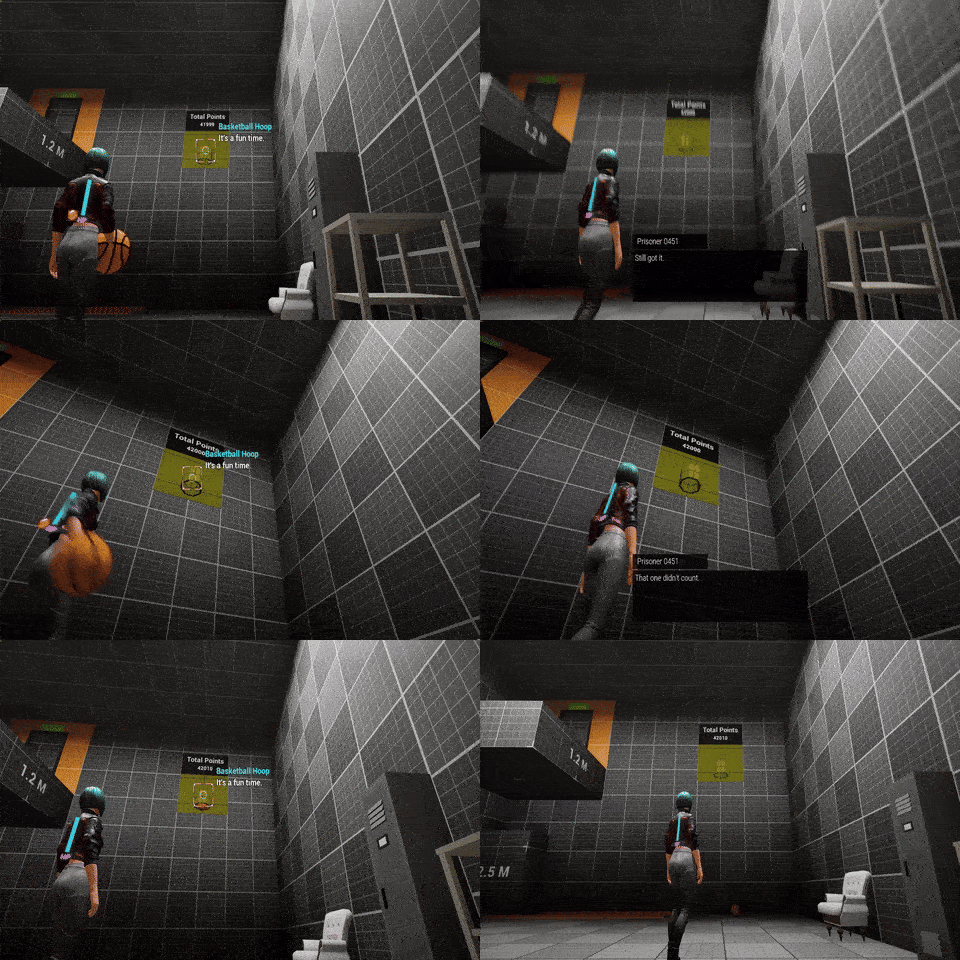

Small details make great games
Different outcomes for each Player action
One of the advantages of having flexible systems is that they are able to go beyond their specific functionality. I think this gives the designers the ability to customize actions and events, and add as many choices as possible.
For example, when The Player is trying to score points by throwing the basketball in the hoop.
The basketball hoop can include the World Event Manager, this is a component that can be added to any Actor in the world.
Now, since the basketball hoop is the only object in the world that keeps score in this case, the score keeping functionality is isolated inside this class at the moment.
This allows for setting up how many times The Player needs to score before triggering an event. Also, inside the basketball hoop class, I set up a way to detect if The Player missed a throw.
This way I can detect if The Player was successful or not in their throw and trigger an event using the World Event Manager for dialogue in a success situation or failure situation. This same example can be applied to any actor, like the Fragile Vent.
The Fragile Vent has the Health Component, so after each hit I can detect if it was destroyed or not. If it was destroyed, it was a success, if not it was a failure. Now I can trigger a different line of dialogue depending on the situation.
The same applies to getting the Gravity Gloves early.
In short, I think creating a flexible system like this allows to enrich The Player experience, where The Player can fail to do something or they can actually be really good at something and they will have different outcomes rather than just one.
Basic game features that improve Player experience
Give The Player the choice to play on their own terms
The Save Game, Tutorials, Main Menu, Pause Menu and Options Menu are implemented properly to give The Player the basic amount of accessibility choices for their game experience.
I think from all these, the Save Game is the most developed and the one that includes Gameplay Systems in their logic.
The Save Game System includes Manual Save Spots, where The Player needs to press a button in order to save the game. They can see information related to the Save Game such as last time they saved in their current play session.
Automatic Checkpoints are also included for when The Players needs to go through a difficult section of the game where they will fail and try multiple times.
I also created a component which can be included in each Actor that needs to keep their state saved. Like for example, saving the state of a pick up like the HVP Gun Pick Up, I can include this component, set it to Destroyed and it will be saved automatically on the next Save Point.
I think this is an important functionality to have, because you can’t make all your objects to save their state, but in this way I can pick which ones are important.
The Player information such as Inventory and Abilities are saved using the Save Game Interface each time The Player reaches a Save Point. So any character from this class can use this function.


Other important features I worked on
Inventory & Equipment System
Basic inventory system that has no UI implementation and is purely logic. The reason behind this is to keep the system as simple as possible and make it compatible with as many game projects as possible. UI implementations can be designed and implemented later on but this implementation would not fit all genres.
Purpose of the inventory is to keep track of the Interactable Items that are picked up. Such as weapons, key items, consumables as well as items that are temporarily picked up and then thrown like a basketball. The later is important even if you have something in your hand and it is not store, you can make it readable through other objects, like a door, using the Inventory Interface.
Equipment relates to anything that is attached to the Player, such as weapons, armor and passive equipment like flashlights. Attachment to the Player means for example that they have a valid Equipment Slot valid in their Right Leg. The Player’s hands are also considered an Equipment Slot since an item could be attached there.
Equipment Slots get defined in the BPC_Equipment Component and also in each Data Asset for a Pick Up, I can define in which slot this will be in when picked up and equipped.
Ability System
Basic ability system that is divided into BPC_AbilityManager, BP_AbilityBase and the Data Table for the common parameters of each ability. An ability could be picked up, unlocked or added by default using the Ability Manager component which takes care of adding and removing abilities, such as they are registered and spawned in the game.
The Ability Manager component spawn the specific ability like the Dodge Ability or Gravity Pull Ability, that they both inherit from Ability Base, which controls the Activation and Deactivation of the ability. Also, this base class can get parameters of the character it is attached to, usually The Player, like the player direction.
The Data Table takes care of the definition of the class we want to spawn, cooldown of the ability, damage etc. This is useful because this common parameters are the ones we can tune in easily while testing the game.
Item Examiner System
When the Player is holding something in their hand (equipped), they can examine it by pressing a button. When this happens, information inside the Data Asset of that Pick Up item will be display on a Widget. This can show multiple types of information like name of the object, description, number of bullets left etc. Can be used with anything that can be picked up, like weapons, basketballs and key items.
Activity State Manager
Keeps track of the Player’s actions, like performing animation montages, using a weapon, is in dialogue, is in lock on etc.
This is done using Data Tables and Gameplay Tags that can be added to the Project Settings in Unreal Engine. This gives you flexibility in what the Activities and Actions can be. Like for example, HoldingItem.Consumable.FirstAidKit or HoldingItem.Weapon.Sword.
These Gameplay Tags also can be used not only for the Activity State Manager but for the Interaction System as well where a Door could look for the Interaction Caller if they have a specific tag and they can use the same tags.
Camera Manager System
Takes care of modifying Camera and Spring Arm values with interpolation to move the Player camera and improve the traversal and movement experience.
For example, there is a Camera Modifier when Idle, Walking and Running. There is also a special camera modifier when doing a Traversal Action, so that the action itself looks smooth. Also, when in Lock On mode there is a camera mod.
Weapon System
Blueprint component that keeps track of all the weapons spawned by the Player when obtained. This component has functionality to handle Input Actions related to Weapons, such as shooting, reloading or attacking with a melee weapon. It also keeps track of the ammo if available, for each weapon type.
A weapon is similar to a Pick Up Item, in fact they come from the same class, but with added functionality and a more extensive Data Asset. This makes the weapon creation part relatively simple:
1. Create child blueprint from Weapon Base
2. Create Data Asset for the weapon (Ranged or Melee)
3. Create Pick Up class for the weapon with the Data Asset included
4. Test and tune the parameters properly.
5. If the weapon has special functionality it can be added inside the child blueprint class and accessed using the Weapon System Component.
Not included here but only in the previous version
(Shown in the Previous Template Version video below)
NPC Behavior System
The NPC Behavior System consists of all the same modular components that the Player uses like Health Component, Weapon Manager, Inventory, Equipment etc. The main difference is that the NPC will have a different controller and also run using Behavior Trees and Environmental Query Systems.
A basic NPC could be a random AI character placed in the world that can only serve the purpose of dialogue or something a bit more developed like a Vendor NPC. These are AI characters that usually don’t move and can be interacted by the Player with inputs and have dialogue actions.
Also, all NPCs can have common controller behavior like sensing the Player, having a patrol route and dealing with obstacles in their path, like doors or destructible objects.
Companion System
The most complex NPC System I’ve developed. The Player can ask an NPC to join them in their journey and they will have a component to manage their Companion Party. This is helpful to keep track of section where a companion is needed.
Key features of this system:
1. Give commands to your companion to help you with environmental puzzles. For example, if your companion has a key for a door, they can open it for you. You can also command your companion to push a button and stay there so you can go inside an area.
2. Share items with your companion. Everything you find in the world can be shared with your fellow mates and they will react to it.
3. Your companions will join your battles. During a confrontation with an enemy, your companion will be right behind you and you can command them to attack during an open opportunity.
Enemies & Combat System
A basic combat system against AI characters was implemented in the previous version. This included Behavior Trees for enemies using Melee type weapons and enemies using Ranged type weapons.
Previous Template Version
Check out my other Portfolio highlights

realworld one (VR Experiences)
Type: Professional Experience
Role: Technical Designer
From: 2021 – 2023
Designed and developed Client/Server multiplayer experiences where Players join a VR environment and complete training simulations.
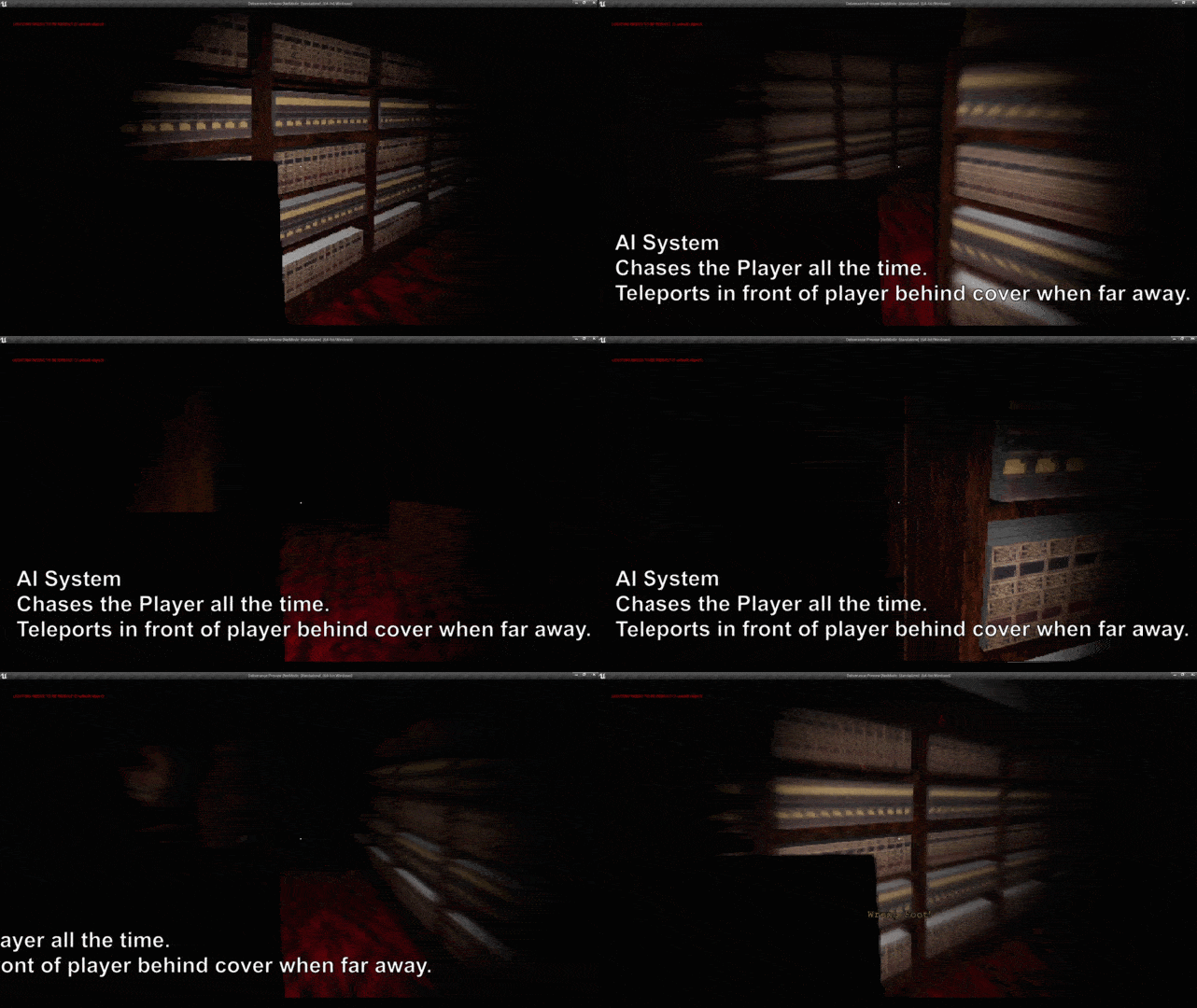
Co-designed and co-created the game called Deliverance, where the Player must deliver all books quickly while only being able to take 1 step at the time and avoid getting caught by the monster. +700 downloads.
 Leonardo Ramírez | UNREAL ENGINE TECHNICAL DESIGNER